
ERP master data
SAP Business One
- Items & item groups
- Business partners
- Price lists
- Stock & availability
- Currencies & units
Mercura CPQ + SAP Business One
Configure the right product, calculate the right price and create an order-ready quote — without forcing salespeople to become SAP experts.
Mercura adds the guided selling and product logic your sales process needs while SAP Business One remains the source for items, customers, price lists, stock and sales documents.
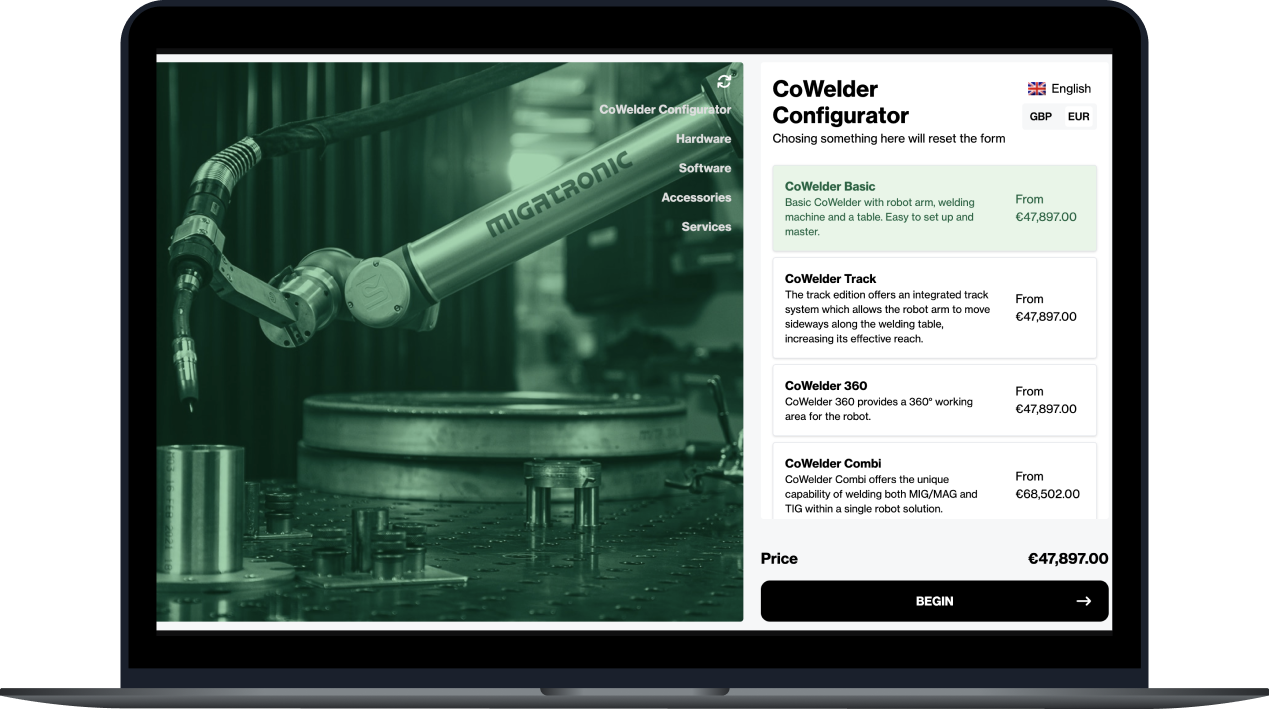
Sales quotation
The 30-second answer
It is a sales configuration layer connected to SAP Business One. Mercura guides users through valid product choices, applies configuration and commercial rules, produces a customer-ready quote and sends the approved result into SAP B1 as the agreed sales document and line structure.
System responsibility
A clean integration separates ERP ownership from configuration responsibility. The exact mapping follows your item structure, user-defined fields and document workflow.
ERP master data
Configure · Price · Quote
Commercial execution
SAP Business One Service Layer API reference →
Yes. Mercura consumes the agreed ERP master data and returns the approved commercial result.
Yes. Discovery maps the fields and objects your company actually uses rather than assuming a textbook database.
No. Mercura can run as an internal tool, dealer portal or branded customer experience.
Build vs. extend
SAP B1 is excellent at running the business. CPQ solves the knowledge-heavy decisions that happen before a clean sales document exists.
Strong at
Typical sales-experience gap
Adds
Choose CPQ when the salesperson must make technical decisions before an SAP quotation can be correct.
Platform decision
Use the buying problem—not the label ‘CPQ’—to choose the smallest system that can produce a correct, sellable order.
| Decision criterion | SAP Business One alone | Custom B1 add-on | SAP B1 + Mercura |
|---|---|---|---|
| Standard items and price lists | Best fit | Usually unnecessary | Usually unnecessary |
| Complex rules and calculations | Limited | Possible, but custom | Core fit |
| Visual customer or dealer journey | Not the focus | Must be built | Core fit |
| Configuration-specific proposals | Basic documents | Must be built | Core fit |
| Maintain logic without SAP development | Limited | Developer-led | Business-admin model |
Mercura is strongest when product knowledge—not transaction entry—is the bottleneck. If the sale is already a clean SKU-and-quantity transaction, keep the architecture simpler.
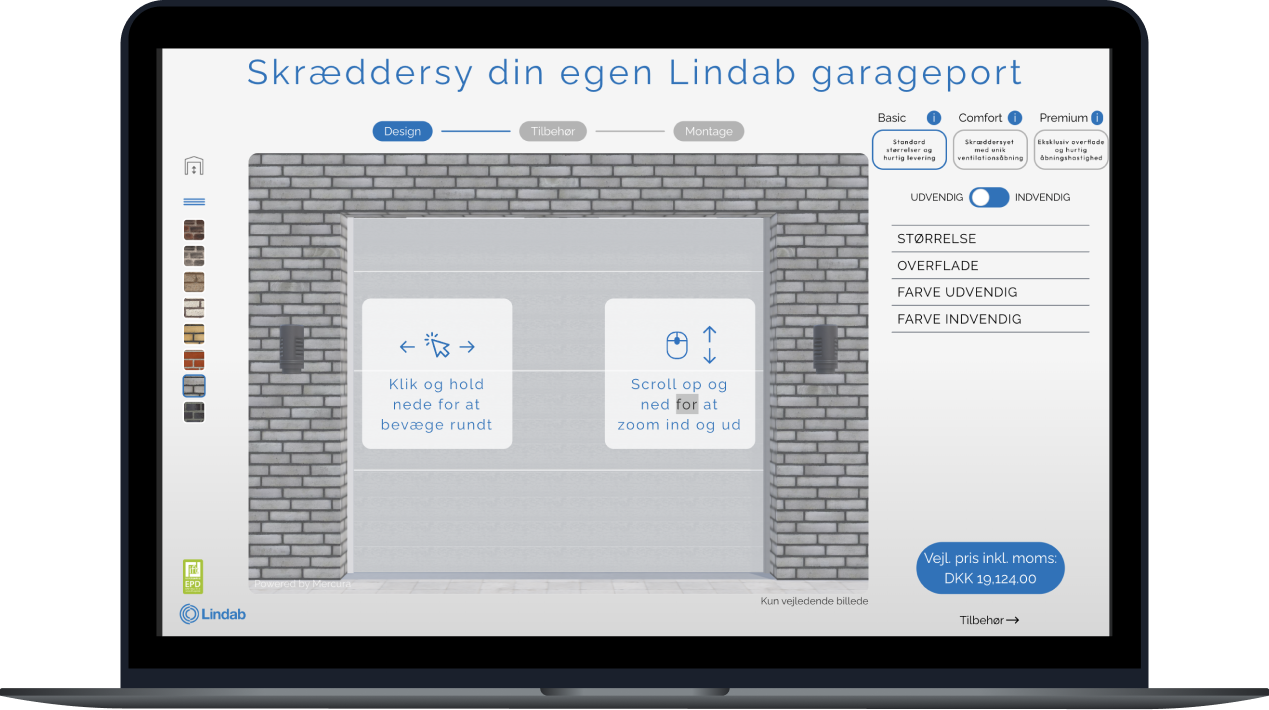
Mercura product experience
Mercura can power an internal sales tool, dealer portal or customer-facing configurator. The interface carries your brand; the configuration model keeps every choice valid; SAP remains the operational system behind the sale.
Shown: a live Mercura-powered configurator. This demonstrates the buyer experience, not a claim that this customer uses the SAP Business One integration.
From configuration to commitment
Use the same structured configuration to create branded proposal documents with product descriptions, options, technical values, quantities and commercial terms — then map the approved result to SAP Business One.

Landscape qualification
There is no credible one-click promise here. These are the questions that determine the integration design and pilot scope.
Technical evaluation
The integration contract is designed around your SAP B1 landscape. A typical starting point looks like this:
| Data | Direction | Typical interface | Why it matters |
|---|---|---|---|
| Items | SAP B1 → Mercura | Service Layer / Items | Reuse ERP article data |
| Business partners | SAP B1 → Mercura | Service Layer / BusinessPartners | Customer-specific selling |
| Price lists | SAP B1 → Mercura | Service Layer | Use approved ERP price inputs |
| Stock | SAP B1 → Mercura | Service Layer | Show relevant availability |
| Configuration | Mercura → SAP B1 | Mapped fields / UDFs | Preserve what was sold |
| Quotation | Mercura → SAP B1 | Quotations object | Continue the sales workflow |
| Sales order | Mercura → SAP B1 | Orders object | Create an execution-ready document |
| Components / BOM | Mercura → SAP B1 | Standard or mapped objects | Support production handoff |
Delivery path
The integration is one workstream. The bigger win comes from making product, pricing and sales knowledge explicit enough to automate.
Capture options, dependencies, formulas, pricing inputs and the expected order output.
Output: validated pilot model
Identify items, partners, price lists, UDFs, quotation or order fields and error handling.
Output: field-level interface map
Design the guided flow, permissions, visual feedback and customer document around real users.
Output: testable end-to-end workflow
Compare Mercura output with SAP B1, train a focused user group and expand product by product.
Output: governed rollout
Where it pays off
Guide dimensions, capacities, accessories and compatibility rules.
Buying signal: Sales currently asks engineering to validate most quotes.
Turn measurements, installation conditions and finish choices into valid products.
Buying signal: The order depends on calculations, not just SKU selection.
Give partners a controlled path to prices, proposals and order-ready configurations.
Buying signal: Dealer growth is creating quote-support bottlenecks.
Decision support
SAP Business One can manage items, price lists, quotations and orders, but companies with configurable products often need an added layer for guided selling, product rules, visualization and configuration-specific documents.
A common approach uses SAP Business One Service Layer, which exposes business objects over HTTP and OData. The exact integration depends on your version, hosting model, add-ons, UDFs and document workflow.
Read SAP's Service Layer overview →Yes, when included in the agreed interface. Mercura can send customers, references, configured lines, quantities, prices and configuration data into the appropriate SAP B1 sales document flow.
It can remain in SAP B1, use SAP price lists as inputs to Mercura, or be calculated in Mercura. The right choice depends on whether pricing is item-based or configuration-dependent.
Usually yes. The discovery phase documents company-specific objects and decides which standard endpoints, mapped fields or extension points are required.
No. The same product model can power internal sales, dealer portals and customer-facing configurators with channel-specific access and presentation.
Official technical resources
Technical content last reviewed 14 August 2026. Validate assumptions against your SAP edition and release.
Explore the capability stack
See it on your process
We will map the customer request, configuration decisions, price inputs, quote output and SAP Business One handoff — so you can evaluate fit on your actual process.